

Created with Line Art Animation
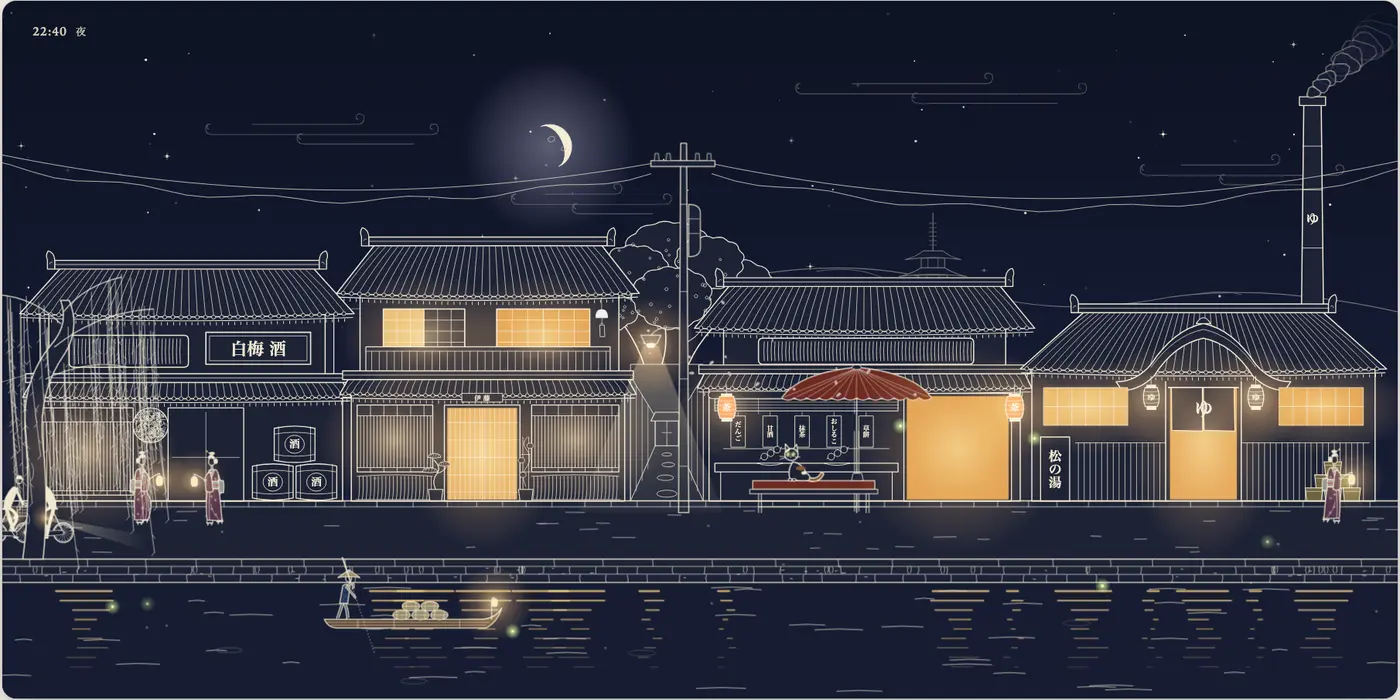
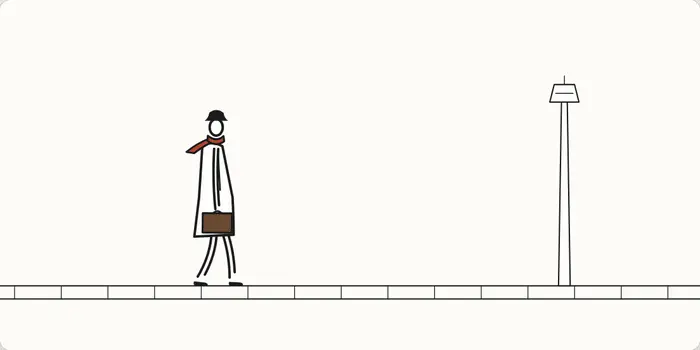
Starter prompt
After installing the skill, paste this into Cursor, Claude Code, or Codex.
Build a line-art animation of a bakery at dawn: a baker carrying trays, steam from the oven, and a cat in the window. Show one figure first, then expand the scene with a day/night cycle.SKILL.md
---
name: line-art-animation
description: Build animated line-art components in SVG and TypeScript — thin ink lines on paper, people and animals that walk, run, cycle and react, scenes with wind, lit windows and a day/night cycle, exported to video if needed. Use this whenever someone asks for a line art (or ink, pen, doodle, hand-drawn) animation, an animated illustration or scene component, little characters doing everyday things, a living street/village/shop/park, a day-night cycle illustration, "make it like this clip" for a drawn animation, or a video of such a component — even if they never say "SVG" or "line art".
---

# Line-art animation

Animated illustration components: everything is drawn with one thin pen on paper,
built live in SVG from TypeScript, so it stays crisp at any size, responds to the
pointer, and can be stepped frame by frame for checking or video export.

This skill ships a small library (`lib/`), two examples (`examples/walker`, a single
figure in ~150 lines; `examples/village`, a full scene) and tools (`scripts/`).
Read the example that's closest to the request before writing anything.

## How people judge this work

They look at it like an animator would: frame by frame, at zoom, against life or
against a reference. These were all rejected in practice, and each has a rule below:

- walks that bob on a sine wave, feet that slide, gaits sped up to fit a time-lapse
- limbs drawn as closed tubes; ruler-straight lines; rigid clothes that ignore the legs
- a whole set of components built in one go that all look alike ("AI slop")
- interactions that feel like UI instead of the world reacting
- a page whose background changes with the scene ("looks like a video, not a component")
- reusing characters from a reference clip when asked for something new
- leftover props nobody asked for (they asked to remove hanging laundry)

## Workflow

1. **Pin the look** before anything moves. Read `references/style.md`. Decide the pen
   weight, paper colour, figure proportions and the one or two flat accent colours.
2. **Set up the project.** Copy `lib/` into the project (it's four dependency-free
   `.ts` files) and use Vite + TypeScript (`package.json`, `tsconfig.json` and
   `vite.config.ts` in this repo show the setup). Components are plain DOM/SVG — no framework needed.
3. **Build one figure or one corner first** and show it (screenshot or a short clip,
   next to the reference if there is one). Get a yes before building the rest. A
   full set built at once comes back as generic; one good piece shows the bar.
4. **Make it move** with `references/motion.md`: `gait()` for walking and running,
   `spring()` / `pendulum()` for anything attached or hanging, keyed poses with
   `curve()` or `sequence()` for gestures. Never animate a figure with free sines.
5. **Compose the scene** with `references/scenes.md`: a self-contained card on a fixed
   page background, layers, a time-of-day palette from `lib/daynight.ts`, lights,
   wind, people arriving on schedules, interactions that are reactions.
6. **Verify** with `references/verify.md` before showing anything: typecheck,
   `?debug` stepping, zoomed frame strips of every moving thing, interactions
   triggered and stepped through, 60 fps in a real tab.
7. **If there's a reference clip to match**, follow `references/matching.md` — measure
   timing and poses from the clip instead of guessing, and check with an overlay.
8. **If they want a video**, follow `references/video.md` (deterministic headless
   capture with `scripts/capture.ts`, then ffmpeg).

## Rules that make it work

- **Limbs are two open strokes.** `limb()` draws a paper-filled band between two pen
  lines that stop short of each other at the far end. This is the style's signature.
- **Lines curve.** Joints are rounded, edges bow slightly, nothing is ruler-straight.
- **Draw each figure in its own space** — ~95 units tall, feet on y = 120, facing +x,
  standing at x = 40 — and place it with `place(g, x, y, dir, scale)`. Proportions,
  pen weight and the gait presets all assume this space.
- **Clothes are drawn around the skeleton.** Solve the legs (even if hidden), then
  draw the coat or kimono hem from the forward knee and the ankles so the cloth opens
  and closes with the stride. Sleeves, scarves and bags swing on springs.
- **Feet are planted.** Move a walker by exactly `gait.speed × scale` per second and
  the stance foot stays still on the ground. Don't speed a gait up to match a
  compressed clock; compress arrivals instead.
- **Ink is `currentColor`, paper is `.pp`.** Retint the whole drawing with
  `applyPalette()` (day: dark ink on warm paper; night: pale ink on indigo, warm
  windows). Solid-colour limb fills must use `solid()`, or the paper CSS wins.
- **The component is a card.** The page around it never changes colour.
- **Interactions are the world reacting**: a person bows or tips a hat, a cat wakes and
  stretches, a lantern swings, birds scatter, a fish jumps. Pointer movement is wind.
  No buttons inside the scene; a single faint hint line is enough.
- **New means new.** If the brief is "like this but new", keep the medium, pen,
  proportions and timing feel; invent the characters, activities and props.

## Library at a glance

| module | what it gives you |
|---|---|
| `lib/ink.ts` | `pen` `shape` `blot` `paint` `limb` `solid` `joint` `hang` `curve` `shoe` `place` `toScene` `inkDefs` `run` |
| `lib/gait.ts` | `gait({ kind: 'walk' \| 'shuffle' \| 'run', …overrides })` → `{ speed, period, pose(phase, go) }` |
| `lib/motion.ts` | `spring` `pendulum` `pointerWind` `sequence` `seeded` `wobble` `ease` `minJerk` … |
| `lib/daynight.ts` | `palette(τ)` → sky, paper, ink, `lamp`, `night`, `sunset`; `applyPalette` `nightTint` |

`run(draw)` drives everything with `draw(t, dt)`. Two URL flags matter for checking:
`?t=1.25` freezes time; `?debug` disables rAF and exposes `window.__step(seconds)`
for exact stepping (background and headless tabs throttle rAF, so always verify in debug mode).

## Scripts

- `scripts/capture.ts <url?debug> <outDir> <frames> <fps> [w] [h] [setupJs] [frameJs]` — deterministic PNG frames from headless Chrome
- `scripts/clip.ts period|blobs …` — loop length of a region; dark-blob tracking per frame
- `scripts/frames.sh <clip> x y w h outDir` — grid-overlaid frames for reading poses off a clip

All run with Node ≥ 22.18 (TypeScript is stripped natively) plus ffmpeg; `capture.ts`
finds a local Chrome/Chromium or uses `$CHROME`.
Related skills
- Visual DesignCanvas DesignCreate beautiful visual art, posters, and static designs using design philosophy. Generates museum-quality work with a two-step process: philosophy creation, then visual expression.
 Anthropic45.5k
- Visual DesignTheme Factory10 pre-set professional themes with colors and fonts for slides, docs, reports, and landing pages. Apply consistent styling or generate custom themes on-the-fly.Anthropic45.5k